Find the definition and an image for each term. Post to your website.

2. EXIF
3. Hyperfocal
4. Interval Meter
5. Lens Extenders
Find the definition and an image for each term. Post to your website.

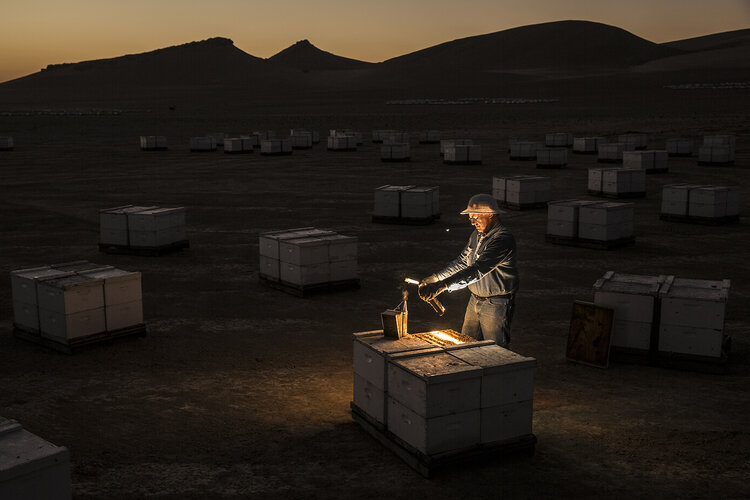
The WonderLab is a one of a kind storytelling studio based in Berkeley, California where Anand and his team develop innovative photography and videography techniques that push the boundaries of how we understand the wonders of our world.
WonderLab also serves as an incubator for ideas and talent by offering mentorship and education opportunities for aspiring scientists and storytellers.
With WonderLab, Anand and the National Geographic Society aim to demonstrate how science coupled with stunning visual storytelling sparks curiosity and creates a deeper connection to our natural world.




Lab Exercise Upload : White Balance

 |
| Aratrika |
In this lab exercise, you will need to change your white balance settings manually and shoot in JPEG format.
You will shoot three frames of the following:
An indoor scene with low light
You may also need to set your camera down on put it on a tripod for the low light shots.
You will shoot each of these scenes with your white balance set to:
AWB: Auto White Balance
Daylight
shade
cloudy
Tungsten
white flourescent
flash
custom
Six images will be submitted (JPEG). Label the white balance for each one.
Lastly Choose one of the following
1. create 2 triptychs using all 6 images.
2. create 1 triptych using a part of each of the 6 images.
Use text to label each image .
https://photographylife.com/definition/white-

Makena


Partner Project - Lightroom Tutorial

Choose a partner. Each group picks a different tutorial. Complete the Lightroom tutorial and present to the class.
https://helpx.adobe.com/lightroom-cc/tutorials.html
Students will be able to demonstrate their understanding of Adobe Lightroom
by creating a slideshow that outlines the steps of a chosen tutorial and presents it to the class.
Students will be assessed on their slideshow presentation, including clarity of steps, visual appeal, and ability to
answer questions about the tutorial process.
Understanding the interface of Adobe Lightroom and its key features.
Step-by-step process of editing photos using a specific tutorial.
Importance of visual storytelling through slideshows.
Presentation skills, including clear communication and engagement with the audience.
Adobe Lightroom Tutorial and Slideshow Presentation Rubric
Post the definition and an image to your website

1. Triptych
2. White balance
3. color cast
4. ambient light
5. Dynamic range
Complete 2 Triptych projects. Post the before and after images.
1. Your choice photo
2. Use your Long shot, medium shot and close up shots
Tools:
1. Open image 2. create a new canvas
Marquee, move tool, transform.
Merge layers. Layer adjustment. Filters. optional. Text tool. Your name
Required -background color. drop shadow.
Paint bucket or Gradient tool. Text Tool - Your name




Video images, like still photographs, are subject to the aesthetic rules of picture composition. There are, however, factors peculiar to video that more or less influence television composition. These factors are as follows:
In motion media, the picture on the screen is referred to as a shot. A shot is one continuous camera run from the time the recording starts to the time the recording stops. A shot may last a few seconds, several minutes, or the entire program. A motion-video camera person must always think in terms of shots.
Most rules of composition in still photography apply equally well to composition in motion media.
During motion-media recording, you can change the image size by changing the camera-to-subject distance or by using a zoom lens (which also changes the field of view).
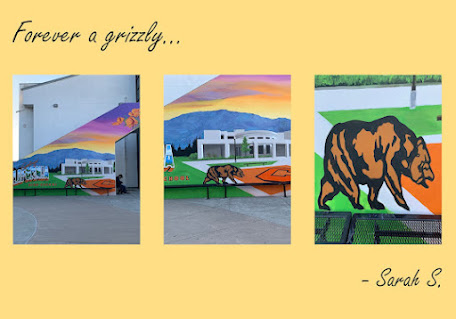
When recording an event on motion media, there are three basic shots or sequences you must use: long shots (LS), medium shots (MS), and closeup shots (CU) (fig. 13-10). The type of shot being used can limit or increase the amount of visual information presented to the viewer. Long shots generally establish a location. A medium shot is used primarily as a transition between a long shot and closeup shot. Closeup shots create impact and provide more detail.


1. Anamorphic Lens 2.Mamiya RZ67 3.Composite image 4.Field of View (FOV) Find an image for each definition


