Monday, November 17, 2025

Silhouette with Color Fill


Color Fill - Blue  without blending mode


Color Fill - Blue. With blending mode


                                              Silhouette with Color Fill. Hue Saturation


              Step 1.   Open your Silhouette Project in Photoshop. Photopea demonstration.


Step 2-  Click New Fill Layer - Solid Color. Choose a color
        Pull the opacity down on the color fill layer 65-55%


                 Step 3-  Choose the Blending mode - Multiply


Convert the file to a jpeg and post to your website. Label Silhouette with Color Fill. Submit a link to your blog in google classroom.

Lightroom Silhouette

   Open image in Lightroom.

Select mask< subject< exposure

Change the exposure to create silhouette.

3 before and after images to your website.

Step 1

Step 2

Step 3


Lightroom Silhouette Photography Technique Rubric

Criteria3 Points2 Points1 Point
Technical ExecutionPerfectly executed Lightroom mask selection and subject isolation with precise exposure adjustment creating a clear, intentional silhouetteMostly accurate mask selection with some minor issues in subject isolation or exposure controlInconsistent mask selection with significant challenges in creating a clear silhouette
Image CompositionThree distinct before and after images demonstrating advanced understanding of silhouette technique, with purposeful framing and visual storytellingTwo images showing some understanding of silhouette technique with moderate compositional awarenessOne or incomplete images with minimal compositional thought
Website PresentationProfessionally uploaded three images with clear labeling, thoughtful description, and clean digital presentationImages uploaded with basic information and moderate presentation qualityIncomplete or poorly presented website upload
Technical WorkflowDemonstrates advanced Lightroom skills, showing confident navigation of mask and exposure tools with precisionShows basic understanding of Lightroom tools with some hesitationMinimal comprehension of Lightroom technical workflow
Creative InterpretationUnique artistic interpretation of silhouette technique showing advanced creative thinking and visual communicationAdequate creative approach with some interesting elementsLimited creative exploration of silhouette concept


Photoshop Silhouette


Choose 3 photos .

Complete the silhouette tutorial.

Post the before and after photos to your website. 
6 photos total. 
Label -  Photoshop Silhouette.
Find images with a white background for best results.
Use tools to find large image.


Step 1- Open the image in photoshop. 


Step 2 -  Click on Layer. Next  click New adjustment Layer. Choose Threshold. 


Step 3- Click Layer, < New < Layer. Use the paint brush to cover subject.


Post the before and after  photos to your website. Label Photoshop Silhouette.


Photoshop Silhouette Project Rubric for 11th Grade Digital Media

Criteria3 Points2 Points1 Point
Photo SelectionCarefully selected 3 high-contrast, visually interesting photos with clear subject definition and potential for creative silhouette transformationSelected photos with moderate visual interest and some potential for silhouette effectPhotos lack clarity, contrast, or creative potential for silhouette technique
Technical Photoshop SkillsExpertly applied silhouette tutorial techniques, demonstrating advanced layer manipulation, precise edge refinement, and professional-level image editingCompleted silhouette tutorial with some technical proficiency, showing basic understanding of image editing techniquesMinimal application of silhouette tutorial techniques, with noticeable errors or incomplete implementation
Website PresentationProfessionally labeled and organized website display with all 6 photos (before and after) clearly presented, including descriptive captions and clean layoutWebsite presentation shows some organization, with most photos labeled and displayed adequatelyIncomplete or poorly organized website presentation, missing labels or photos
Creative InterpretationDemonstrates exceptional creative thinking, showing innovative approach to silhouette transformation and unique artistic interpretationShows moderate creativity and some original approach to silhouette designLimited creative interpretation, appears to follow tutorial without personal artistic input
Technical DocumentationComprehensive documentation of process, including detailed steps, challenges overcome, and personal reflection on learningBasic documentation of process with some insights into the silhouette creationMinimal or incomplete documentation of project process

    Studio Silhouette


    In class studio photography. Photograph 3 silhouettes using manual mode on the DSLR. Post your top three images with the Metatdata.


    Photography Silhouette Technique Rubric: Manual DSLR Silhouettes

    Criteria3 Points (Exceeds)2 Points (Meets)1 Point (Developing)
    Technical Skill: Manual ModeDemonstrates advanced understanding of manual camera settings; perfectly adjusted aperture, shutter speed, and ISO to create dramatic silhouette effectCorrectly uses manual mode with basic understanding of camera settingsMinimal manual mode usage; primarily relies on automatic settings
    CompositionHighly creative silhouette positioning with intentional negative space and compelling visual storytellingClear silhouette shapes with balanced framingUnclear or poorly positioned silhouettes lacking visual interest
    Lighting TechniqueMasterful backlighting that creates crisp, defined edges with perfect contrast between subject and backgroundAdequate backlighting creating recognizable silhouette shapesInconsistent or ineffective lighting producing muddy silhouette images
    Metadata DocumentationComplete, precise metadata including camera settings, lens informationBasic metadata with most key technical informationIncomplete or missing metadata documentation
    Creative InterpretationUnique, innovative approach demonstrating deep understanding of silhouette photography techniquesStandard interpretation showing competent understandingLimited creative exploration of silhouette concept


    Silhouettes in 8 easy steps


    1. Choose a Strong Subject

    Almost any object can be made into a silhouette, however some are better than others. Choose something with a strong and recognizable shape that will be interesting enough in its two dimensional form to hold the interest of those viewing your image. Silhouettes can’t draw on the colors, textures and tones of subjects to make them appealing – so the shape needs to be distinct.

    2. Turn off your Flash

    If you have your camera in automatic mode your camera will probably want to use its flash which will ruin the silhouette. Basically you want as little light on the front of your subject as possible – so the flash has to go (basic – but I’ve seen a few attempted silhouette shots with the flash firing).

    3. Get Your Light Right 

    When it comes to lighting your subject you’ll need to throw out a lot of what you’ve learnt about normal photography and think a little backwards. Instead of lighting the front of your subject, in silhouettes you need to ensure that there is more light shining from the background than the foreground of your shot – or to put it another way – you want to light the back of your subject rather than the front. The perfect light for this is placing your subject in front of a sunset or sunrise – but really any bright light will be able to do the trick.

    4. Frame your image

    Frame your shot so you are shooting with your subject in front of a nice plain, but bright background. Usually the best backgrounds will be a bright cloudless sky with the sun setting. You want to position the brightest light source behind your subject (either so that they hide it or so that its in the background somewhere).

    5. Make silhouetted shapes distinct and uncluttered

    If there is more than one shape or object in the image that you’re attempting to silhouette, try to keep them separated. ie if you are silhouetting a tree and a person don’t have the person stand in front of the tree or even leaning on it as it will merge them into one shape and as a result your viewers could be confused about what the shape is.
    Also when framing you’ll probably want to photograph silhouetted people as profiles rather than looking straight on. This means that more of their features (nose, mouth, eyes) are outlined and they are more likely to be recognized.

    6. In Auto Mode

    Most modern digital cameras have automatic metering which are pretty good at sensing how to expose a photograph so that everything is well lit. The problem with this is that most cameras are so smart that they will light up your subject instead of underexposing it to get a silhouette so you need to trick it. Most cameras work out the exposure levels in auto mode when you push your shutter half way down (at the same time that they focus). So point your camera at the brightest part of your picture and then press the shutter halfway down (don’t let go). Then move your camera back to frame your shot with the subject where you want it and then finish taking the shot. With most digital cameras this will result in a silhouetted subject. In effect what you’re doing is tricking your camera into thinking that the bright part of the image is the mid tone of it so that anything darker than it will be exposed as a nice dark shadow.
    Some digital cameras also have ‘spot’ or ‘centered’ metering modes that you can switch on which helps with the above technique as they will set the metering on the central spot of your frame rather than multiple spots. This means you can accurately tell your camera exactly which bit of the bright background you want it to set the exposure on.
    7. Manual Mode 
    If this technique doesn’t work and your camera has controls to allow manual exposure or exposure compensation you might like to try some of your own settings. The beauty of digital is that you can experiment to your hearts content until you get the result you’re after. 
    A simple way to start using manual mode is to look at the shutter speed and aperture that it suggests in automatic mode and to start from there. If in auto mode your subject is too light (ie you need to make it darker) stop down the shutter speed a stop or two and see what impact that has. Use the ‘bracketing’ technique that I described in my previous tip on sunrises and sunsets to get a variety of shots at slightly different exposures.
    8. Focusing 
    In most cases you’ll want the subject which is silhouetted to be the thing that is in focus most crisply. This can mean that the process described in point 4 can be a little tricky as pushing your shutter half way down to get the metering right also means that you’ll focus on that spot in the background. To get around this you can use two strategies. Firstly if your camera has manual focusing you might want to try that. Pre focus your shot before you meter your shot.
    The other strategy is to use Aperture to maximize your depth of field (the amount of your image that is in focus). Set a small aperture (ie a larger number) to increase the depth of field – this means you’re more likely to have a sharper foreground and background in your shots.
    One last tip on how to photograph Silhouettes – while a total silhouette with a nice crisp and black subject can be a powerful shot, also consider the partial silhouette where some detail of your subject is left. Sometimes a touch of light on them makes them slightly more three dimensional and ‘real’. This is the beauty of bracketing your shots as it will leave you with total and partial silhouettes to choose form.

    Silhouettes


    Understanding Silhouettes in Photography

    1. What are the key factors to consider when choosing subjects for silhouette photography, according to Doug McKinlay?


    2. How does the time of day affect the quality of silhouettes? Provide specific examples mentioned in the video.


    3. Describe the importance of metering when capturing silhouettes and the recommended settings shared in the segment.


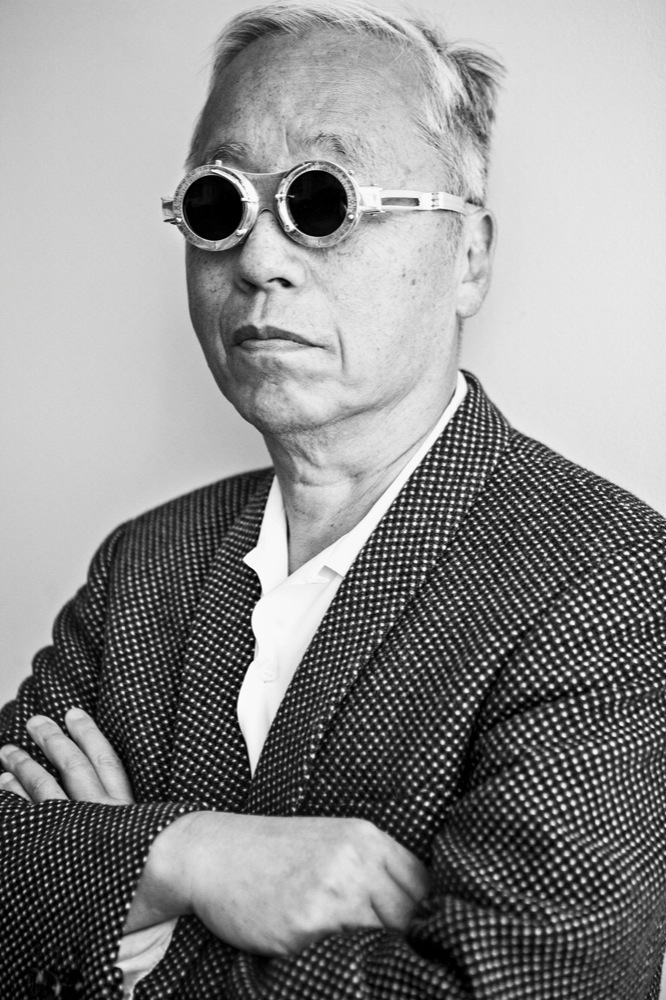
    Artist of the Week / Hiroshi Sugimoto


    CLICK ON THE LINKS TO VIEW HIS WORK

                                                          http://www.sugimotohiroshi.com/


    Image result for hiroshi sugimoto


    Image result for hiroshi sugimoto


    Image result for hiroshi sugimoto

    Image result for hiroshi sugimoto

    Image result for hiroshi sugimoto

    Image result for hiroshi sugimoto


    Look through his collection of work. Links attached.Choose top 2 images  .

    Answer the following questions


           1. How is the technical quality?
    2. How’s the composition?
                                                 3. What do you find interesting  about his work?


    High Key and Low Key